In today’s digital era, data is one of the most valuable assets for businesses. Whether it’s troubleshooting, sending software updates, or providing critical documentation, the ability to exchange data quickly and securely is paramount. Remote file transfer has become an essential tool for IT support teams, enabling them to send files and documents between systems without the need for physical presence. By leveraging remote file transfer, businesses can ensure smooth operations, reduce downtime, and facilitate efficient collaboration.
Remote file transfer involves the transmission of files between two devices over a network, typically the internet. This method of data exchange allows IT professionals and users to transfer files, folders, and even large data sets remotely, without having to be in the same location. Remote file transfer is crucial in providing technical support, software updates, system backups, and facilitating communication between geographically dispersed teams.
1. Faster Problem Resolution
IT support teams often need to transfer files as part of their troubleshooting process. This might include sending log files, configuration settings, software patches, or installation files. Remote file transfer eliminates the need for physical media, such as USB drives, speeding up the resolution process.
2. Secure File Transfer
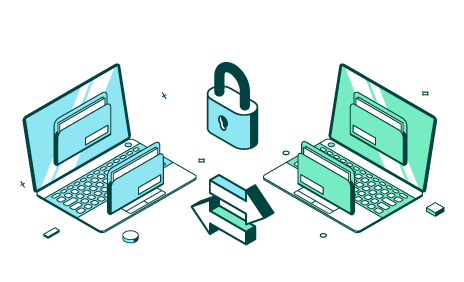
One of the most significant concerns in file transfer is security. Sensitive company data and personal information must be protected from unauthorized access during transfer. Remote file transfer tools provide secure protocols, such as SSL/TLS encryption, to safeguard files during transmission.
3. Simplified Collaboration Across Geographies
In the current globalized business environment, employees and teams often work from different locations. Remote file transfer makes it easier to share important documents and data, ensuring seamless collaboration among remote workers, branches, or outsourced teams.
1. Cloud-Based File Sharing
Cloud-based file-sharing platforms such as Google Drive, Dropbox, or OneDrive offer an easy way to transfer and store files remotely. These platforms provide centralized access to files, allowing users to download and upload files at their convenience.
2. Remote Desktop File Transfer
Many remote desktop tools, like TeamViewer, AnyDesk, and RemotePC, offer built-in file transfer capabilities that allow IT professionals to access a user’s desktop and transfer files seamlessly between systems.
3. Secure FTP (SFTP)
Secure FTP (SFTP) is a protocol specifically designed for secure file transfer over a network. It is widely used by businesses to exchange sensitive files, such as databases, financial records, or legal documents.
4. Email Attachments
For small files, email remains a simple and efficient method for remote file transfer. However, email has limitations, particularly when dealing with large files or sensitive data. Still, it can be an appropriate solution when the size of the files being transferred is manageable and security protocols are in place.
5. Peer-to-Peer File Sharing
For certain use cases, peer-to-peer (P2P) file sharing offers a decentralized method of transferring files. It allows users to directly send files from one device to another without relying on a central server.
Benefits of Remote File Transfer
1. Improved Efficiency
Remote file transfer enables IT teams to quickly share files without the delays associated with physical file transfers. IT support can deliver files instantly, speeding up the troubleshooting process and reducing the overall time to resolution.
2. Cost Savings
Remote file transfer significantly reduces costs associated with physical file exchange, such as shipping or courier services. It also minimizes the need for IT professionals to travel on-site for file transfers, further reducing operational costs.
3. Enhanced Security
With secure remote file transfer methods like SFTP, businesses can ensure that their data remains protected throughout the transfer process. This is particularly critical when sharing sensitive information, such as financial records or client data.
Remote file transfer is an essential tool for modern IT support teams. It allows for quick, secure, and efficient sharing of data and files between systems, whether it’s for troubleshooting, software updates, or collaboration. By leveraging tools such as cloud-based platforms, remote desktop transfers, secure FTP, and peer-to-peer sharing, businesses can improve their operational efficiency, enhance collaboration, and reduce costs. As remote work becomes increasingly common, the ability to transfer files remotely will continue to be a critical component of seamless IT support and business operations